
Keeping voice recordings private on iPhone
Voice Memos is a good recorder with no privacy model at all. Recordings sync to iCloud, appear on every signed-in device, and open with no authentication beyond unlocking the phone. For a song idea that is fine. For an interview, a medical consultation, or a conversation you recorded because you might need it later, it is not.
What Voice Memos does and does not do
Recordings land in the app, sync through iCloud to your other devices, and can be shared in two taps. There is no lock, no hidden folder, and no per-recording protection.
Recently Deleted keeps recordings for 30 days, so deleting one does not immediately remove it — worth knowing if you delete something specifically because it was sensitive.
Recordings people regret leaving unprotected
- Interviews and meetings involving other people's confidential information.
- Medical appointments recorded so you can replay the instructions.
- Conversations kept as a record of a dispute — with a landlord, an employer, a contractor.
- Voice notes containing passwords, codes, or account details read aloud.
- Personal recordings that were only ever meant for you.
Know the law before you record
Consent rules vary and they matter. Some jurisdictions require only one party to consent; others require everyone in the conversation to agree. This is worth checking for where you actually live rather than assuming.
Encryption protects a recording from being read. It does not make an unlawfully made recording lawful, and it does not make it admissible.
What an encrypted audio store adds
- The file is encrypted at rest, so a lost phone does not surrender the audio.
- Nothing syncs to iCloud, so the recording is not waiting on a family iPad.
- The whole store locks at once, on a timer you set.
- Sharing is a deliberate action rather than a default capability.
Doing it in SecureKit
- Record straight into the vault
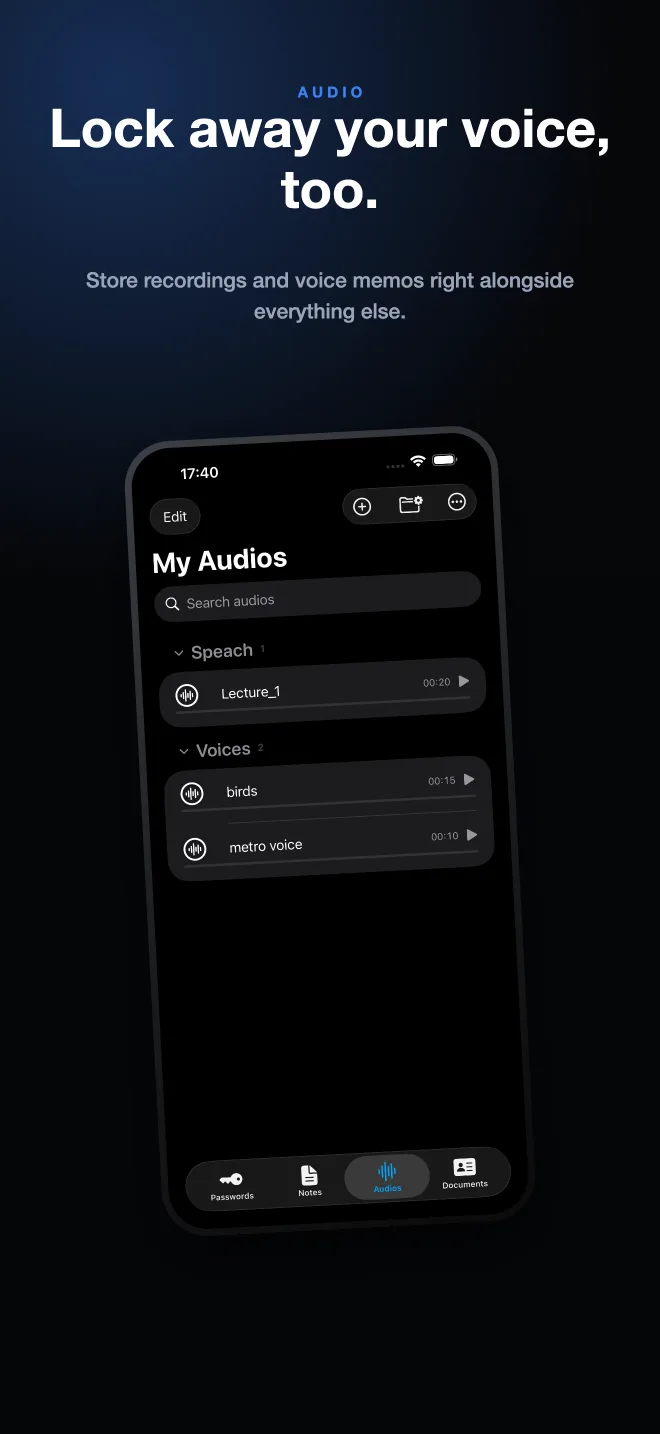
The Audio tab records directly into encrypted storage, so there is no unprotected intermediate file in Voice Memos.
- Import recordings you already have
Bring existing audio files in, then delete the originals from wherever they were sitting.
- Organize with groups
Separate interviews from personal notes with custom groups, and search recordings by name.
- Share only when you choose
Play and organize inside the vault; export a recording out only at the moment you actually need to send it.
Frequently asked questions
Can I password protect Voice Memos on iPhone?
No. Voice Memos has no lock and no hidden folder. Protecting a recording means moving it into an app that holds its own encrypted storage.
Do Voice Memos recordings sync to iCloud?
Yes, if iCloud is enabled for Voice Memos, recordings appear on every device signed into your Apple Account.
Is it legal to record a conversation?
It depends on where you are. Some places require consent from only one party, others from everyone involved. Check the rules for your jurisdiction before relying on a recording.